I love looking on pinterest for all kinds of ideas and one of my favorite things to look at are teachers blogs. I love looking at things that they have done in their classroom and worksheets or activities that they have done. I have found so many good ideas from just going on pinterest.
One blog that I really liked was a first grade teacher named Kathy. I really liked looking at her blog because she had a lot of great ideas and information on there.
Favorite Teacher Blog

Showing posts with label technology. Show all posts
Showing posts with label technology. Show all posts
Thursday, November 29, 2012

Snagit Video
Snagit was easy to use and is very similar to Jing. The only big difference between the two is Snagit you can upload to YouTube and other places and Jing you can't.
Wednesday, November 28, 2012
Doc Cam/Smartboard
I think that this app on the iPad will be useful when I have my own classroom because it will be cheaper as well as easier to use.There are some many different apps that you can get on iPads that are helpful for the teachers as well as fun for the students. iPads are starting to become more and mores popular so it seems logic that most teachers are starting to teach with them. I think that the smart board is also a great tool to have in the classroom if possible because I think it is a great way to get the students involved. The teachers and students will love it because there are so many different things you can do with it.
Tuesday, November 27, 2012
Blurring out faces in images
I used Gimp to blur out some of the faces in this picture. This tool can be helpful when posting pictures on a website and someone doesn't want their picture to be on the website, so all you have to do it blur it out. What I did to blur out the others faces was take the circle tool and put it around the face that I wanted to blur and then I went up to the filter button and clicked on the Gaussian Blur and then picked how much I wanted to blur the face.


Wednesday, November 14, 2012
Cupcake
When making the cupcakes we put them into Photoshop and decorated them. First thing I did was to add color to mine and then next I used the tear drop tool to make the sprinkles on the cupcake. We also used the magic wand tool to delete the background.


Magazine Cover and iSpy Page
Magazine Cover
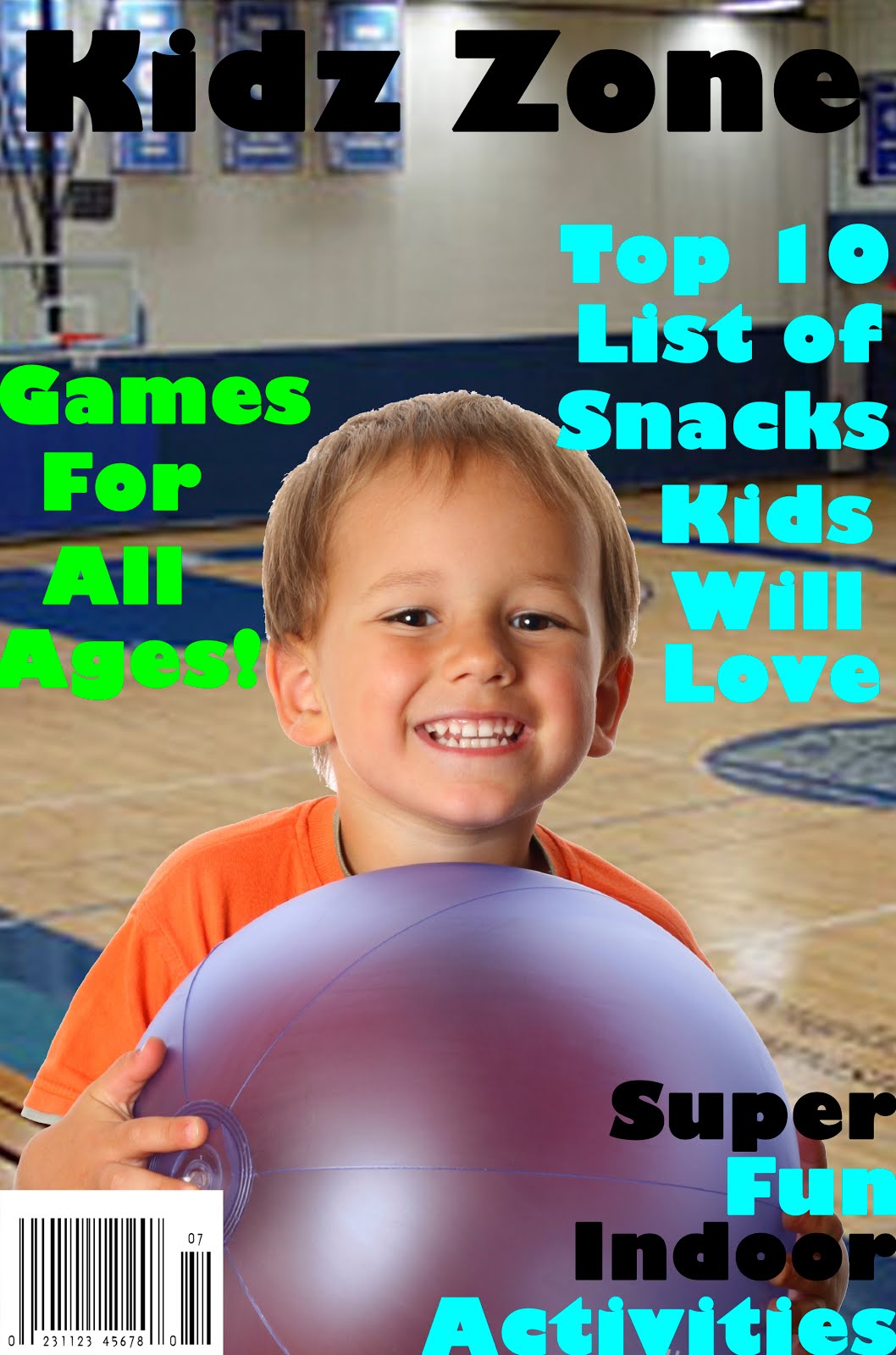
Making my magazine was a lot of fun because we got to design it ourselves. I liked this project because it gave me more experience working with Photoshop. There are so many different things you can do in Photoshop. I learned how to cut around pictures so you don't get the white background behind the picture, which I think will be useful to me.
iSpy Page
 \
\
I think this was a fun activity and it was really easy to make. I think this is a good project to do with elementary school students. I think you could do this project in any grade but for the younger grades you might have to assist them more then the older grades.
Thursday, November 8, 2012

Tuesday, November 6, 2012
Photoshop Poster
This poster I created in Photoshop was fun to make. I think that when I become a teacher I will use the skills I learned in Photoshop to make posters for my future classroom. This poster was fairly easy to make all I did was create different layers for each word and then picked a font and color.

Tuesday, October 23, 2012
Word Cloud
I found word cloud to be very user friendly all you have to do is hit create and then type in what words you want on it. The more times a word is on there the bigger the word will be. This is the word cloud that I created. I think this would be a fun activity to have your students do or for you to do.

Tuesday, September 11, 2012
Picture Cubes
Things to use to the picture cube for in the classroom:
-Making them into a dice.
-Putting math problems onto the cube and having them roll it and solving the problem they land on.
-roll multiple cubes and use the pictures they land on to make up a story or sentence.
-Putting the students pictures on it and using for pairing students up or playing get to know you games.
-You can have each student make one by putting their favorite photos on it and then have them tell a story.


-Making them into a dice.
-Putting math problems onto the cube and having them roll it and solving the problem they land on.
-roll multiple cubes and use the pictures they land on to make up a story or sentence.
-Putting the students pictures on it and using for pairing students up or playing get to know you games.
-You can have each student make one by putting their favorite photos on it and then have them tell a story.
The Template we used

What mine looked like with the pictures on it

What the cube looked like all done and folded up

Subscribe to:
Posts (Atom)